Résumé photo in India: when to add one, and how it should look
Updated 2 November 2026
In India a photo on your résumé is optional: add one when the job post or the company's form asks for it, and leave it out for jobs in the US or the UK, where CVs usually have no photo. If you add one, use a recent head-and-shoulders photo on a plain, light background, in the clothes you'd wear to the interview, small in a top corner of the first page.
Do you need a photo on your résumé?
No rule says you must. Many Indian application forms and job portals have a place for a photo, and some employers and campus placement forms ask for one: when they do, add it. When nobody asks, it's your choice. A good photo helps a recruiter put a face to your name; a blurry selfie or a cropped party photo does more harm than having none.
What gets you shortlisted is the rest of the page: your skills, projects and experience. A résumé without a photo is completely normal.
When to leave the photo out
For jobs in the US and the UK, CVs usually have no photo. The UK's National Careers Service also says not to include your age, date of birth, marital status or nationality, details that many Indian résumés list near the top. Keep a version of your résumé without them for applications abroad.
Whatever the country, follow the employer's instructions: if a form says not to attach a photo, don't.
What the photo should look like
- Recent: it should look like you on the day of the interview.
- Head and shoulders, facing the camera, with a relaxed, slight smile.
- Plain, light background: white, light grey or light blue.
- Interview clothes: a formal shirt, a blazer or suit, or a formal kurta, in solid colours.
- Even light, no filters: no beauty effects, sunglasses or caps.
- Only you: never a photo cropped out of a group, with a stray shoulder at the edge.
Size and placement
Put the photo in a top corner of the first page, next to your name and contact details, at about passport size (35 × 45 mm). At that size, a photo of about 415 × 530 pixels prints sharply (300 dots per inch) without making the file heavy.
Job portals limit how large an uploaded résumé can be, so insert a JPEG of a few hundred KB rather than a 5 MB photo straight from your phone, and check the size of the final PDF.
Taking the photo yourself
You don't need a studio. Stand facing a window in daytime, a metre or two in front of a plain, light wall, and ask someone to take the photo from your eye level with the phone's back camera at 2× zoom. A close selfie at arm's length makes the nose look bigger and the shoulders smaller, which is why résumé photos taken that way look off.
Take twenty or thirty shots, changing only your expression and the angle of your shoulders, then choose the one that looks most like you on a good day. The phone headshot guide covers light, framing and posture step by step.
Mistakes that make a photo hurt your résumé
- An old photo: if you look different at the interview, it raises a doubt you don't need.
- A wedding, party or holiday photo, even a nice one: the setting says “personal”, not “work”.
- Heavy beauty filters or skin smoothing, which look unnatural in print.
- A small photo stretched up until it looks blurry or blocky.
- A photo so large that it pushes your name and contact details down the page.
- A busy background, such as a crowded room or a patterned curtain, that pulls the eye away from your face.
Adding the photo to your résumé file
In Word or Google Docs, insert the photo in the header area next to your name, and resize it by dragging a corner so it keeps its shape. A simple two-column table, with your details on one side and the photo on the other, keeps everything aligned when the file is opened on another computer.
Save the final version as a PDF, open it on your phone to check that the photo and text look right, and name the file clearly, for example “Priya-Sharma-Resume.pdf”, so a recruiter can find it again.
Résumé photo, LinkedIn photo, exam photo
- LinkedIn and job portal profiles: the same photo works, cropped square, because profiles show it as a small circle. The free LinkedIn photo cropper fits it.
- Government jobs and exams: each notice sets its own size, KB range and background, and wants a real, recent photo. See the exam photo guide and the free exam photo resizer.
- Passport, visa and ID: strict official rules; see the passport photo guide.
Making one from your selfies
No formal photo? With Résumé Photo, upload 1–4 clear selfies and pick a formal shirt, blazer, suit or formal kurta on a plain white, light grey, light blue or office background. A run starts at 5 credits (about ₹10), and new accounts get 10 free credits.
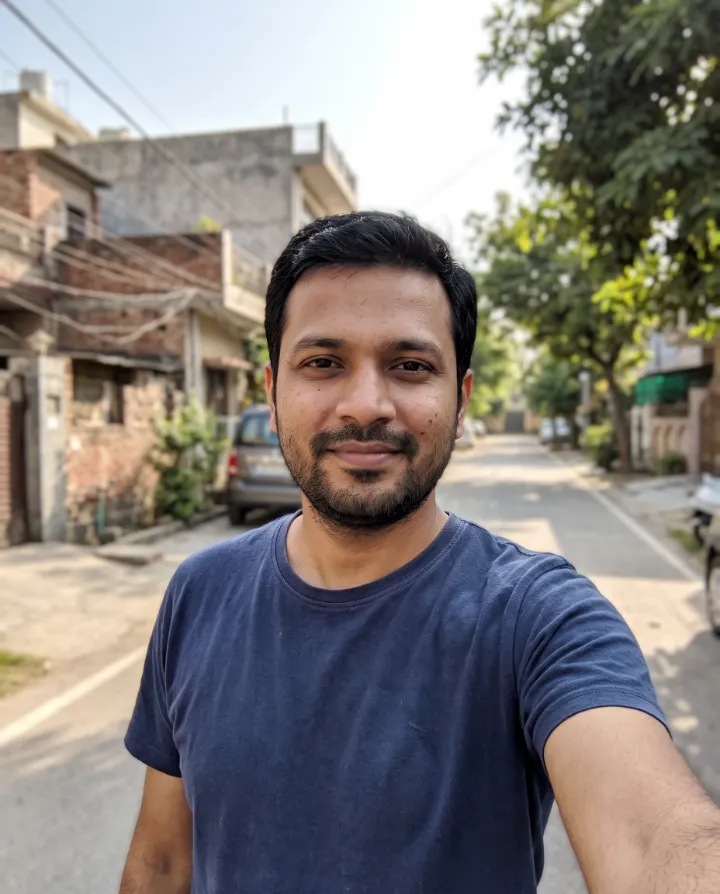
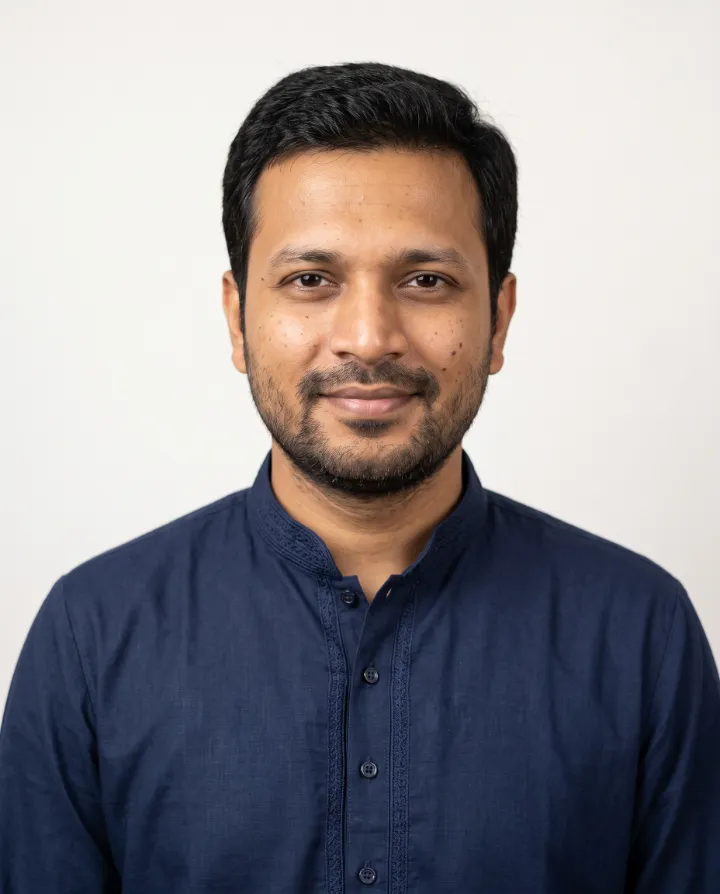
The result is an AI-made photo. It's fine for a résumé or a job portal if it looks exactly like you. If an employer asks for a photo to verify your identity, and for any exam, passport or ID form, use a real, unedited photo.
Questions
- Should a fresher put a photo on the résumé?
- Only if the company or the campus placement form asks for one, or if you have a good, recent, formal photo. Your projects, internships and skills matter far more.
- Where should the photo go?
- In the top right or top left corner of the first page, next to your name and contact details, at about passport size.
- Colour or black and white?
- Colour, unless the employer asks for something else.
- Does a startup or creative job need a formal photo?
- Not necessarily. A plain shirt, a smart top or a simple kurta without a blazer suits most startups and creative roles. Dress the way people at that company dress for meetings.
- Can I use an AI-made photo on my résumé?
- Yes, if it looks exactly like you today. For identity checks, exams, passports and ID cards, use a real, unedited photo.