Generate videos from a description
KivoHeadShots generates a 5 or 10 second video from a written description, optionally starting from your own image, in landscape, portrait or square format. It costs from 24 credits a run, and new accounts get 10 free credits.
From 24 credits per run
What you need to make a video with AI
- Describe the video
- Starting image (optional)
Example: make a video with AI
Made with AI Video Generator on this site from a photo of an AI-generated person, not a real customer. Your results depend on your photos and settings.
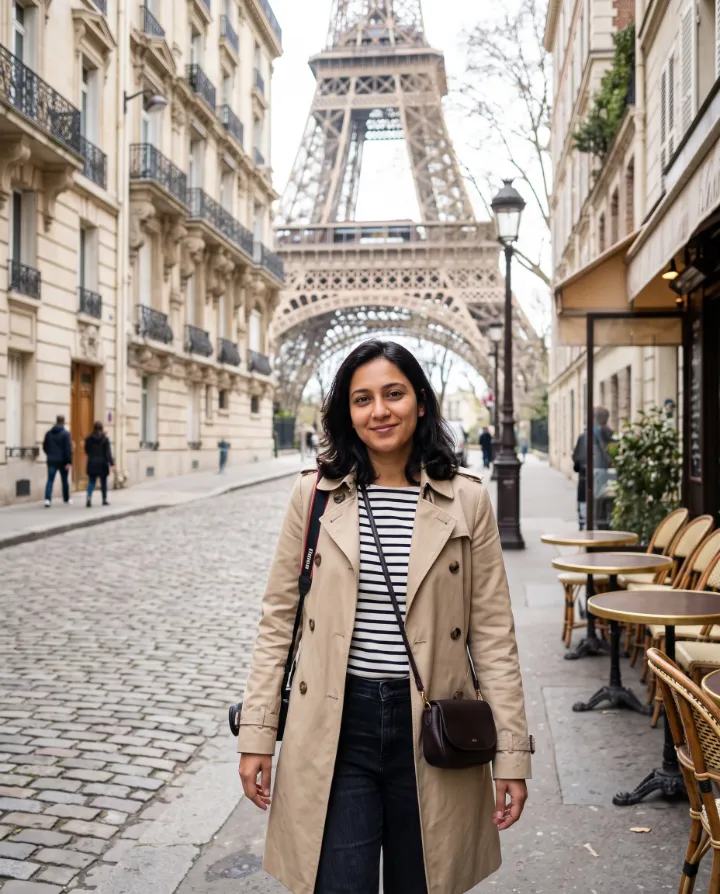
Description typed: “She walks slowly along the cobbled Paris street towards the camera, smiling and looking around, the camera gently tracking backwards, soft daylight”
Why use our AI video generator
Describe a scene and get a 5- or 10-second video clip, with sound if you like. Add a starting image to set the first frame.
- Text or image to video
- Landscape, vertical or square
- Optional generated sound
How to make a video with AI
- 1
Describe your video, or upload the image, video or audio it starts from.
- 2
Choose length, shape and sound.
- 3
Watch and download the finished clip. Videos take a few minutes.
Your uploads are deleted as soon as the run finishes, and never used to train AI. How we protect your photos
Questions about the AI video generator
- Which AI model makes the video?
- Kling 3, one of the leading video models, run through our AI provider Magnific.
- Should I add a starting image?
- Add one when the video must show a particular person, product or place: the clip begins from that exact frame. Without an image, the AI creates the whole scene from your description.
- How long does a video take?
- Usually 2–6 minutes. You can leave the page: the video appears in your history when it's ready.
- What if a video fails?
- If the AI can't finish a job, your credits are refunded automatically.
More ai video tools
- Image to VideoBring a still photo to life with natural motion.
- Text to VideoWrite a scene and watch it play out.
- Promo VideoTurn one product photo into a scroll-stopping video ad.
- Video MakerCombine up to four images into one connected video.
- Audio to VideoMake a portrait talk or sing along to your audio.
- B-RollCinematic cutaway footage for videos, ads and presentations.