Matching headshots for your whole team
KivoHeadShots gives a whole team matching headshots: the team owner picks one outfit and background and shares an invite link, and each member uploads their own selfies and gets headshots paid from the owner's credits. It costs from 5 credits a run, and new accounts get 10 free credits.
From 5 credits per run
What you need to get matching headshots for your team
- 1–4 photos of yourself
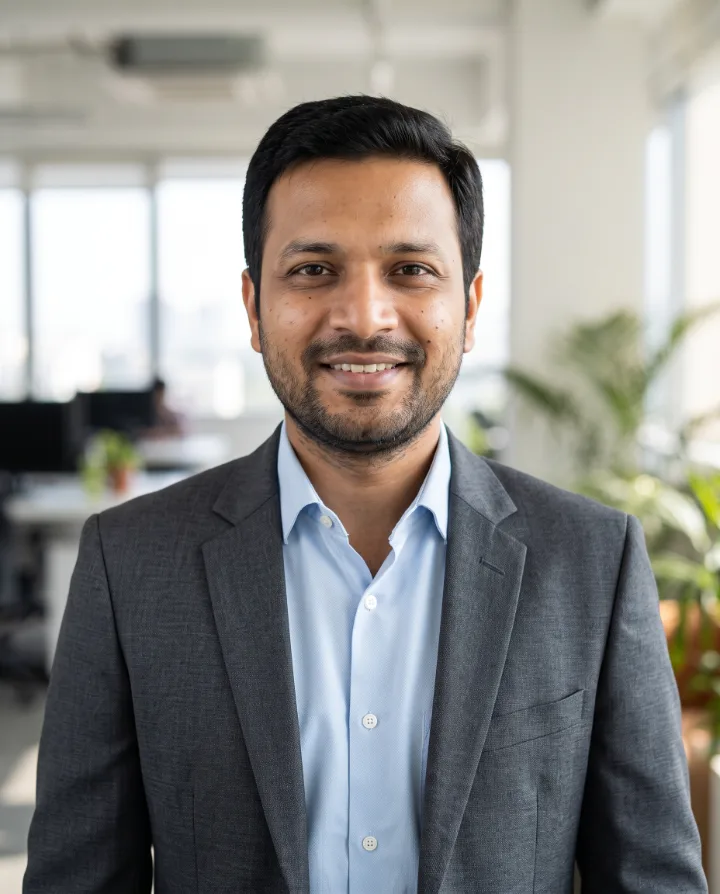
Example: get matching headshots for your team
Made with Headshots for Teams on this site from a photo of an AI-generated person, not a real customer. Your results depend on your photos and settings.

Why use our team headshot generator
Create a team, pick one outfit and background for everyone and share an invite link. Each person uploads their own selfies, and you see and download every headshot in one place.
- Invite your team with one link
- You pay from your credits; members need none
- Same outfit and background for everyone
How Headshots for Teams works
One person sets up the team and pays. Everyone else just opens a link and uploads selfies, wherever they are, with no studio day to organise.
For the team owner
- Sign in and open the Team page from the menu.
- Create the team: its name, one outfit and one background for everyone, and how many headshots each member can make (1 to 40).
- Copy the invite link and send it on WhatsApp, email or your team chat.
- Watch the headshots arrive in your team gallery, and download them for your website, directory or ID cards.
For each team member
- Open the invite link and sign in with your email. You don't need credits or a payment method.
- Press Join team, then open Headshots for Teams.
- Upload 1–4 selfies and start. The outfit and background are already set by your team owner.
- Download your headshots from your History. Your team owner sees them in the team gallery too.
What it costs for your team
Each headshot costs the owner 5 credits. Here is a team where everyone makes 4 headshots, with rupee amounts at the Standard pack's price.
| Team size | Headshots | Credits | In rupees |
|---|---|---|---|
| 5 people | 20 | 100 | about ₹199 |
| 10 people | 40 | 200 | about ₹399 |
| 25 people | 100 | 500 | about ₹997 |
| 50 people | 200 | 1,000 | about ₹1,993 |
The per-member limit means nobody can spend more than you planned, and if a member's run fails, its credits come back to you. Credits are bought in one-time packs with UPI, cards or net banking, GST included. See the credit packs.
Managing your team
- Change the outfit, background or per-member limit at any time. New headshots use the new settings.
- Make a new invite link if the old one went too far. The old link stops working, and people already in the team stay.
- Remove someone who has left. They can't make more team headshots, and the ones they already made stay in their account.
- If a member reaches the limit, they see “You've made all the headshots your team allows” until you raise it.
- If your balance runs out, members see “Your team's account is out of credits” until you buy a pack.
- Each person can be in one team at a time, and only the owner can change the team or delete it.
Every member's selfies are deleted as soon as their run finishes. Step-by-step help for teams
Outfit, background and cost
What should I wear for team headshots?
The outfits are: Navy suit, charcoal suit, black blazer, business casual and smart knitwear. The team owner chooses one outfit for everyone, so the whole team matches without anyone changing clothes. Pick the outfit most of your team would wear to meet a client.
Which background is best for team headshots?
The backgrounds are: Light grey studio, modern office, dark studio, city street and plain white. The owner chooses one background for everyone. Light grey studio looks the same next to every face on a team page; an office background feels more relaxed.
Is it right for a company team page?
Yes. Each person uploads selfies from wherever they are, everyone gets the same outfit and background, and the owner downloads every headshot from one gallery. Each member should keep only results that look exactly like them.
How much does it cost in rupees?
The team owner pays 5 credits per headshot, about ₹10 at the Standard pack's price, and members pay nothing. Four headshots for one person cost 20 credits, about ₹40.
How long does it take?
Usually a minute or two after you start. You can leave the page: the headshots appear in your History when they're ready, and in the owner's team gallery.
How to get matching headshots for your team
- 1
Upload 1–4 clear selfies. Different angles help the AI learn your face.
- 2
Pick an outfit and background that suit your profession.
- 3
Get your headshots in a few minutes and download your favourites.
Your uploads are deleted as soon as the run finishes, and never used to train AI. How we protect your photos
Questions about the team headshot generator
- How does paying work?
- The team owner pays from their own credits, at the same price per headshot as Professional Headshots. The owner sets how many headshots each member can make, so the cost has a limit.
- Who can see the headshots?
- Each member sees their own. The team owner sees and can download every team headshot. Members' other photos and results stay private.
- Do members need to pay or buy credits?
- No. Members sign in with their email for free and their team headshots are paid from the owner's credits. They only need credits for other tools.
- Can members choose their own outfit?
- No. The owner chooses one outfit and background for the whole team, so every headshot matches. Members choose their selfies and how many headshots to make, up to the team's limit.
- Is there a limit on team size?
- No. Anyone with the invite link can join after signing in. Make a new link at any time to stop the old one working.
- What photos should I upload?
- Clear, well-lit photos where your face is easy to see: no sunglasses, hats or heavy filters, and nobody else in the shot. Phone selfies are fine. Different angles and expressions give better results.
- Will it look like me?
- The AI is instructed to keep your face, skin tone, age and features exactly as they are. Results vary from photo to photo, so we generate several and you keep the ones you like.
More headshots tools
- Professional HeadshotsStudio-quality business headshots from a few selfies.
- Real Estate HeadshotsWarm, trustworthy agent photos for listings, signs and business cards.
- LinkedIn HeadshotsA friendly, polished profile photo that fits LinkedIn's square crop.
- Resume Photo MakerA clean, professional photo for your résumé or CV, from a few selfies.
- Lawyer HeadshotsAuthoritative, firm-ready portraits for attorney bios and directories.
- Residency HeadshotsClean, professional photos for medical residency (ERAS) applications.