How to choose an AI headshot generator in India
Updated 27 October 2026
Check the price per headshot in rupees before you upload, whether there's a free trial and a refund when a result fails, and what happens to your photos afterwards. Then make sure the results still look like you and that the styles suit how you'll use them.
1. The price per headshot, in rupees
Some services charge a fixed package, others per photo or with credits. Work out what one headshot costs. At KivoHeadShots, a headshot is 5 credits, which works out to ₹10.13 with the Starter pack, ₹9.97 with the Standard pack, ₹9.99 with the Pro pack. The price is shown before every run, and there's no subscription.
2. A free trial, and refunds for failed results
Try before you pay, and check what happens if a result fails. New KivoHeadShots accounts get 10 free credits (two headshots), and if the AI can't finish a job, the credits go straight back.
3. What happens to your photos
Your face is personal data. Look for a clear answer on how long uploads are kept, whether they train AI models, and whether you can delete everything. KivoHeadShots deletes uploads as soon as the result is ready, never uses them for training, and lets you delete your whole account yourself. Privacy policy.
4. Does it still look like you?
A headshot is only useful if people recognise you from it. Look at real examples made from ordinary selfies, not just polished samples, and use a result that's a true likeness: platforms like LinkedIn ask that your photo looks like you.
5. Styles for how you'll use it
Corporate, LinkedIn, résumé, real estate, lawyer and residency photos each have their own conventions. Check that the outfits and backgrounds fit your profession, and that there's a team option if your company needs matching photos.
6. Who runs it, and how to reach them
Check for a named company, a contact email and a grievance officer, which Indian law expects of services handling personal data. KivoHeadShotsis run by BLAZETECH in Gurdaspur, Punjab: about us.
7. Image quality and size
A profile photo needs only a small image, but a website, poster or printed brochure needs much more. Check the size of the files you can download before you pay, and zoom in on examples: hair, ears and the edges of glasses show whether the detail is real or smeared. KivoHeadShotsmakes headshots at 2K resolution, enough for print.
8. How you pay, and whether credits expire
Prefer services that take Indian payment methods through a known payment company and show prices in rupees, so there are no currency surprises. Check whether unused credits expire and whether unused purchases can be refunded. At KivoHeadShots you pay once through Razorpay (UPI, cards, net banking or wallets), credits never expire, and unused packs can be refunded within 7 days; see the refund policy.
9. Red flags
- No company name, address or contact email anywhere on the site.
- No privacy policy, or one that lets the service keep your photos or use them to train AI.
- A subscription that renews automatically, hidden until checkout.
- Requests for ID documents, or for photos of other people without their permission.
- Only perfect, glossy samples, and no way to try it yourself before paying.
- Results that change your face shape, skin tone or age: a headshot that doesn't look like you isn't worth having.
10. If you need photos for a whole team
Companies, clinics, schools and agencies usually want everyone to look consistent: the same outfit style, background and framing. Check whether the service lets one person choose the look once and invite everyone, who pays, and whether the person paying can limit how many photos each member makes. With Headshots for Teams, the owner picks the look, shares one invite link and pays from their own credits, with a limit per member; members don't need to buy anything.
Compare services side by side
| Check | What to look for | At KivoHeadShots |
|---|---|---|
| Price | The cost of one headshot in rupees, with GST | 5 credits, about ₹10, shown before each run |
| Payment | Indian payment methods, no auto-renewing subscription | One-time packs through Razorpay: UPI, cards, net banking, wallets |
| Trial | A way to try with your own selfies before paying | 10 free credits for new accounts (two headshots) |
| Failed results | Automatic credits back when a result fails | Credits returned straight away |
| Refunds | A written refund policy for unused purchases | Unused packs refunded within 7 days |
| Your photos | How long uploads are kept, and no AI training | Deleted as soon as each run finishes; never used for training |
| Deleting | Delete results and your account yourself | Any result from History; the whole account from Profile |
| Who runs it | A named business, address, email and grievance officer | BLAZETECH, Gurdaspur, Punjab |
| Teams | One look for everyone, paid by one person, with a limit | Headshots for Teams, with a per-member limit |
| Quality | Download size, and natural hair, ears and skin | 2K images |
Copy the first two columns and fill in the third for every service you're considering.
What you'll spend: three common cases
Work out the cost for what you actually need, not the headline price. At KivoHeadShots, with rupee amounts at the Standard pack's price:
- One LinkedIn photo: one headshot is 5 credits, so the 10 free credits on a new account cover two tries.
- A full set for your profiles and résumé: two runs of 4 headshots in different outfits is 40 credits, about ₹80.
- A team of 10: 4 headshots each is 200 credits, about ₹399, paid by one person.
When a service charges in dollars, your bank may add a foreign currency charge on top of the converted price, so compare the amount that will actually leave your account.
What a real result looks like
Judge a service by results made from ordinary selfies, not only by its best samples. These were made on KivoHeadShots from one casual selfie of an AI-generated person (not a real customer), each with a different outfit and background:
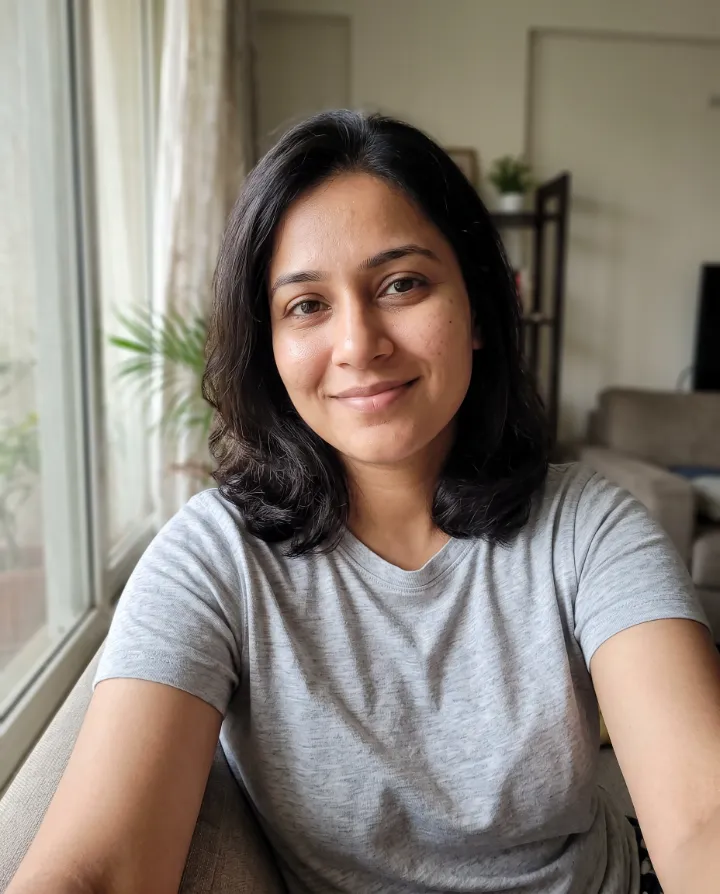
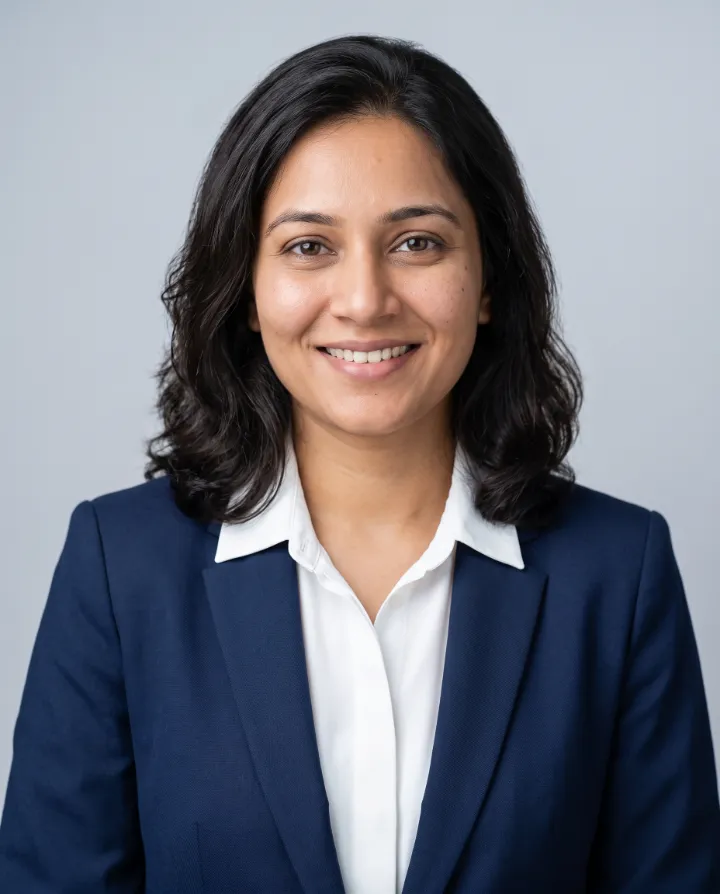
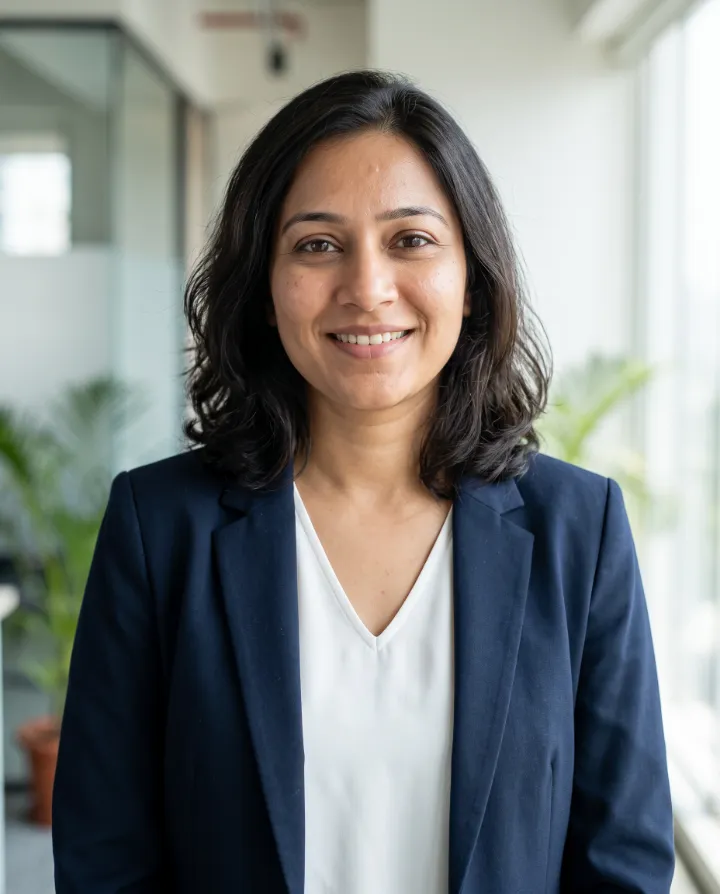
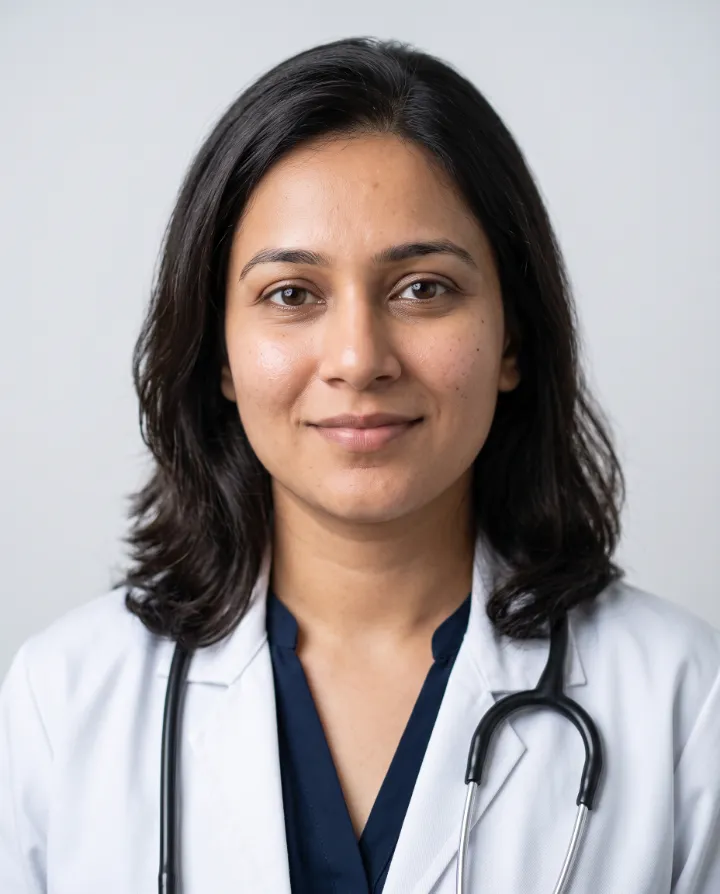
Look at the same things in any service's examples: does the face stay the same across outfits, do hair and ears look natural, and does the light on the face match the background?
Studio shoot or AI headshot?
A studio photographer is still the better choice when you need a specific place in the picture, such as your own office or shop, when you want a photographer to direct your pose and expression, or when the photo is for an official document.
An AI headshot is the better fit when you need a professional photo quickly, can't travel to a studio, want to try several outfits and backgrounds, or need matching photos for people in different cities. You can make a few, keep the ones that look like you, and try again with different selfies if a result misses.
Questions to ask before you pay
- What does one headshot cost in rupees, including GST?
- Is there a free trial, and are credits returned when a result fails?
- How long are my selfies kept, and are they used to train AI?
- Can I delete my results and my account myself?
- What size are the downloaded files?
- Is it a one-time payment, or a subscription that renews?
- Who runs the service, and who is the grievance officer?
What AI headshots can and can't do
An AI headshot generator can give you a clean background, good light and a professional outfit from ordinary selfies, in minutes and for much less than a studio shoot. It can't guarantee that every result is a perfect likeness: some will miss, which is why you make several and keep the best. And it can't replace a real photo where the law or a form asks for one, such as passports, exam forms and ID cards.
How to get the best results from any generator
- Use recent photos, taken in daylight, where your face is sharp and not hidden by sunglasses, a cap or your hand.
- Upload only photos of yourself: other faces in the picture can confuse the AI.
- Avoid heavily filtered selfies. The AI copies what it sees, including beauty filters.
- Make a few results and pick the best one, rather than judging the service on a single image.
A two-minute checklist
- Find the price of one headshot in rupees.
- Look for a free trial and what happens when a result fails.
- Read what happens to your photos, and whether you can delete everything.
- Check who runs the service and how to contact them.
- Try it with two or three ordinary selfies, and keep only the results that look like you.
Not for official documents
AI headshots are for profiles and résumés. Exam forms and passports need a real, unedited photo of you.
Questions
- How many selfies do I need?
- At KivoHeadShots, 1 to 4. Clear, well-lit photos where your face is easy to see, from slightly different angles, give the best results.
- Can I use AI headshots on LinkedIn?
- Yes, if the photo is a true likeness. LinkedIn asks that your profile photo looks like you.
- Are free AI headshot generators worth trying?
- They can be fine for a quick try. Check what they do with your photos, whether the result looks like you, how large the download is, and whether it carries a watermark.
- How long do AI headshots take?
- At KivoHeadShots, usually a minute or two after you start. You can leave the page: the headshots appear in your History when they're ready.
- Can I delete everything afterwards?
- At KivoHeadShots, yes. Uploads are deleted as soon as each run finishes, and Profile → Delete my account removes your account and your results for good.